
Quickstart Guide
Login
To enter the buildm system, enter the following web address in the browser:https://admin.buildm.com.au/landing-manager/login. The following login interface will then be displayed to access the application.
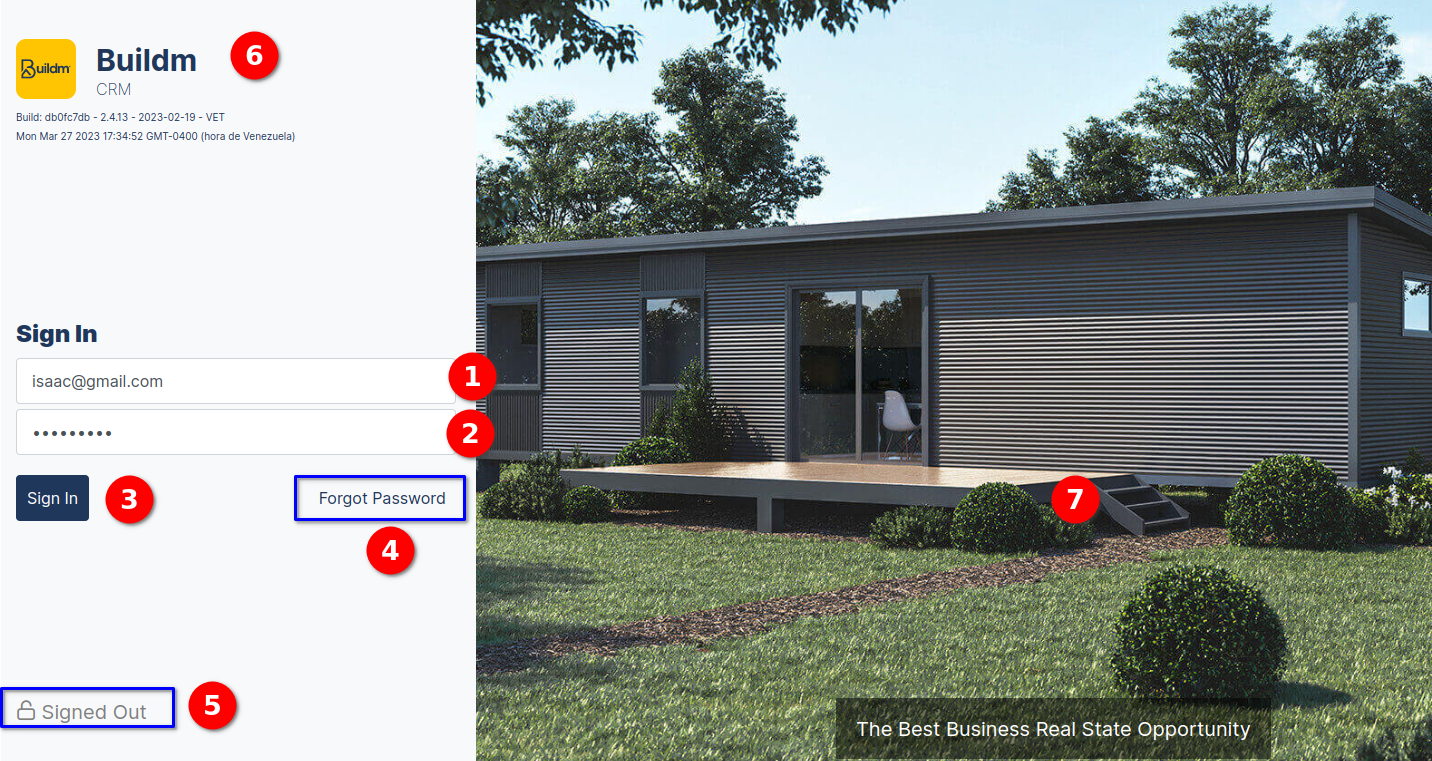
LOGIN VIEW
Components of the Login View Interface:
- User field.
- Password field.
- Sign In button
- Forgot password.
- Authenticated", "Signed out " status.
- Logo and system name, version number.
- Image model of the houses.
Forgot Password
In the image we can enter the interface to recover the password in case of forgotten password, the user must enter the email address in the forgotten password field, and press the send button, then the system will send a message.
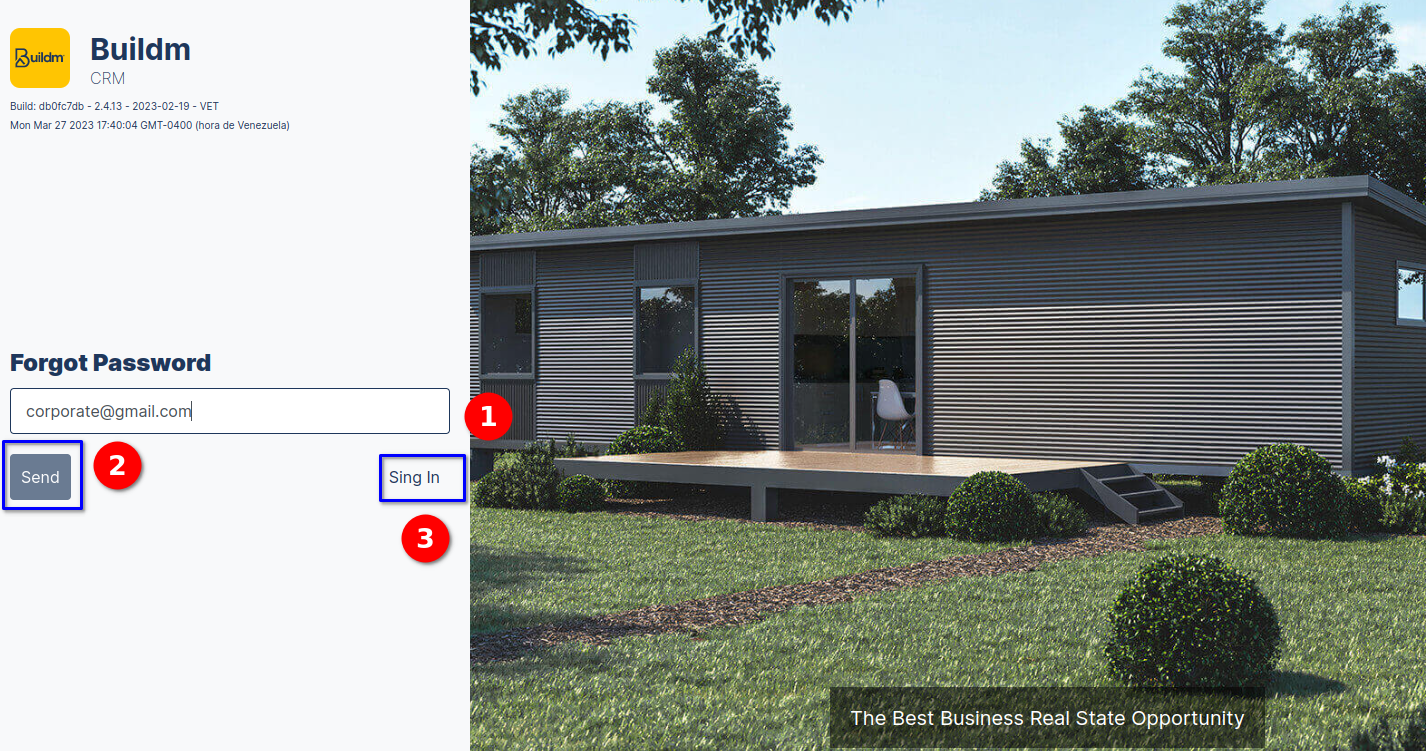
FORGOT PASSWORD VIEW
Components of the Login View Interface:
- Email field.
- send button "the email that will receive the option to recover the password".
- Sing in link.
Forgot Password send message
Then the system displays the following message We have sent you a verification link to your email. Please enter the link to continue with the password recovery process.
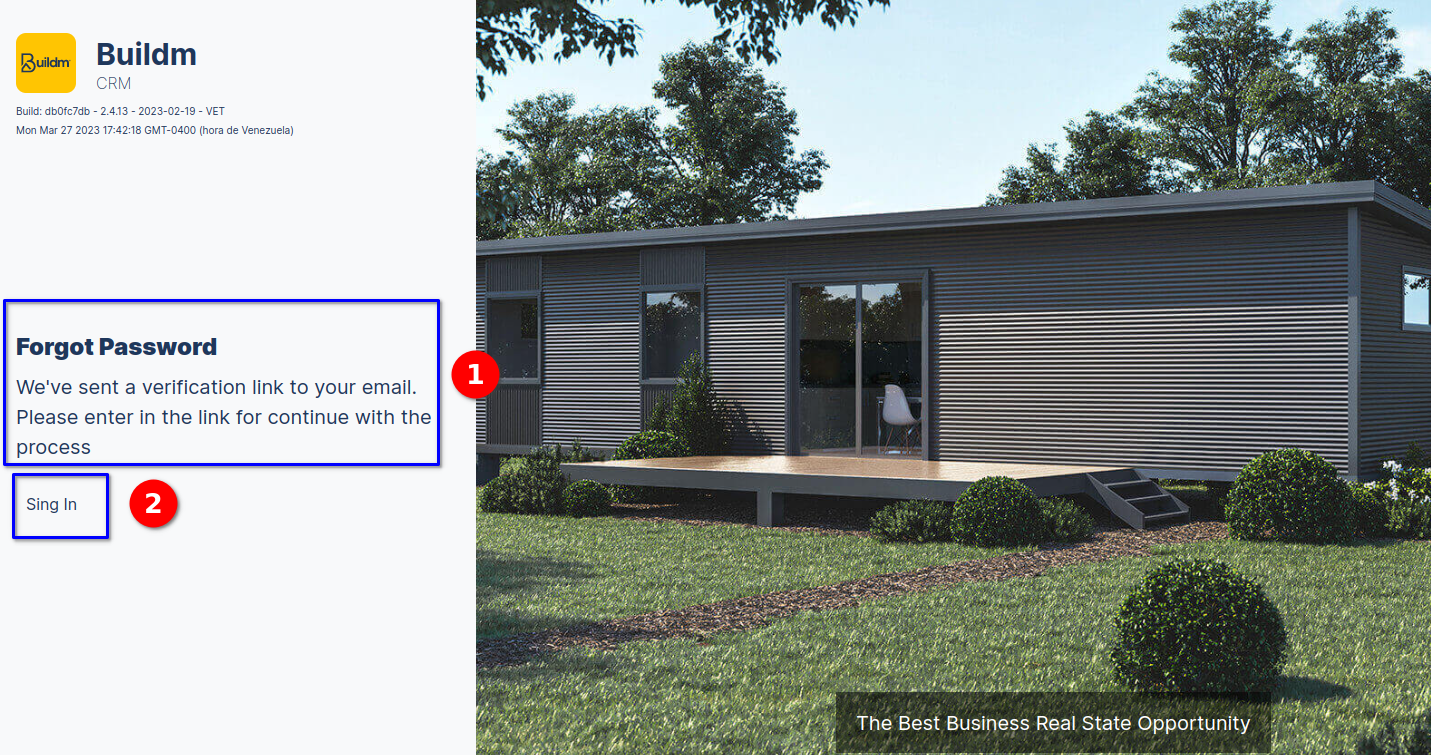
FORGOT PASSWORD MESSAGE
- The message with the procedure to recover the password.
- Sign in link, return to login view